
Securing Dual-Stack (IPv4,IPv6) Endpoints with NSX-T
I have mentioned in a previous blog post that I’m not using any ACLs on my tunnel broker VM
This is usually pretty bad, but again, we can get those protections outside of the VM - I’m using this to prove out how NSX-T can provide utility in this situation.
Solution Overview
VyOS is a fantastic platform, with a ton of rich, extensive features that can empower any network engineer to achieve greater outcomes. There’s a lot of good stuff - here I’m using it as a tunnel broker, but we also have these other features:
Manageability
- Configuration versioning: Any network platform with in-built configuration versioning (and its cousin, the wonderful “commit review” capability) gets a favorable vote in my book
- API/CLI: The two have feature parity. It’s source control friendly, as I have already shown
- IPv6: You do not need an IPv4 management plane for this platform to work
Functionality
- All routing protocols except IS-IS
- All VPN functionality except VPNv4 (although EdgeOS, Ubiquiti’s fork, has that. It shouldn’t take long). This includes WireGuard and OpenVPN, and SIT as I used in this previous example
- Full IPv6 support, including DHCPv6, RA, SLAAC, OSPFv3, MP-BGP, etc. The only thing missing is 6to4 for completely native IPv6 deployments
It’d be fair to say that VyOS is a fantastically capable router, which like Cisco ISR or any other traditional router, does have some downsides.
What’s Missing - or What Could Be Easier
Just as a caveat, I do think we’ll see this a lot with virtualized routing and switching.
VyOS has always had a bit of a problem with firewalling. I’ve been using it since it was simply Vyatta, prior to Brocade’s acquisition, and the primary focus of the platform has always been high-quality routing and switching. Functions like NAT and firewalling are disabled by default and have an extremely obtuse, Layer-4 centric interface for creating new rules. This gets messy pretty quickly, as the rules themselves consume significant configuration space and have to be carefully stacked to apply correctly. This interface is manageable but becomes difficult at scale.
Of course, if it was my entire job to manage firewall policies, I’d automate baseline generation and change modifications, the platform is pretty friendly for that. This may not necessarily be maintainable if it’s not placed in an area easily discoverable by other engineers, and definitely doesn’t resemble the “single pane of glass” I’d rather have when running a network.
What I’d like to see is a way to intuitively and centrally implement a set of firewall security policies against this device, in a way that can be centrally audited, managed, and maintained. Keep in mind - the auditing aspect is critically important, as any security control that isn’t periodically reviewed may not necessarily be effective.
Fortunately, VMWare’s NSX (or as it was previously known, vShield) has been doing this for quite some time. There are some advantages to this:
-
Distributed Firewall enforces traffic at the VM’s NIC, but is not controlled by the VM. This means that you don’t have to automatically trust the workload to secure it.
-
VM Guest Firewalling CPU/NIC costs don’t impact the guest’s allocation. This blade has two edges:
-
VM Guests don’t need firewall resources factored into their workload, as it’s not their problem. This allows for easy onboarding, as the application you’re protecting doesn’t have to be refactored.
-
VM Hosts need CPU to be over-provisioned, as this will be taken out of the host resources at a high priority. This being said, if you’re going down the full VMWare Cloud Foundations / Software Defined Data Center (VCF/SDDC) it is important to re-think host overhead, as other components such as vSAN, HA do the same thing!
Securing Workloads
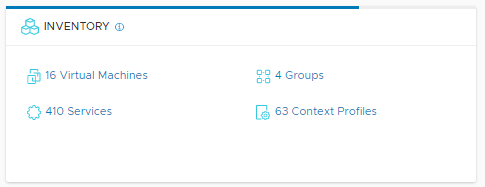
First - we need to ensure that the IPv6 tunnel endpoint VM is on a machine that is eligible for Distributed Firewalling. From the NSX-T homepage, click on the VM Inventory:
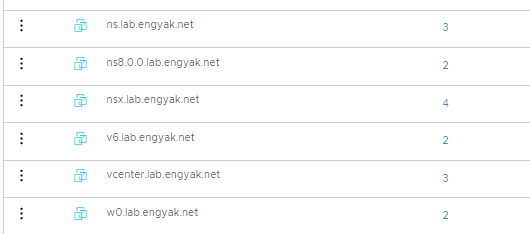
Then we select the IPv6 tunnel VM:
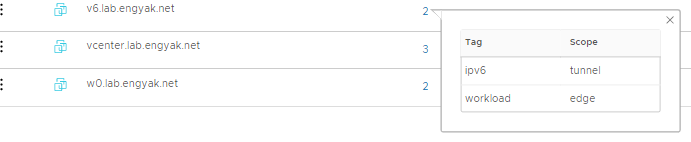
From here, let’s verify those tags, as we’ll be using that in our security policies:
We also need to add some IP Sets - this is the NSX-T construct that handles non-VM or non-Container addressing for external entities. Technically, East-West Firewalling shouldn’t always be used for this, but IPv6 tunnel brokering is an edge case: (IP Sets guide here)
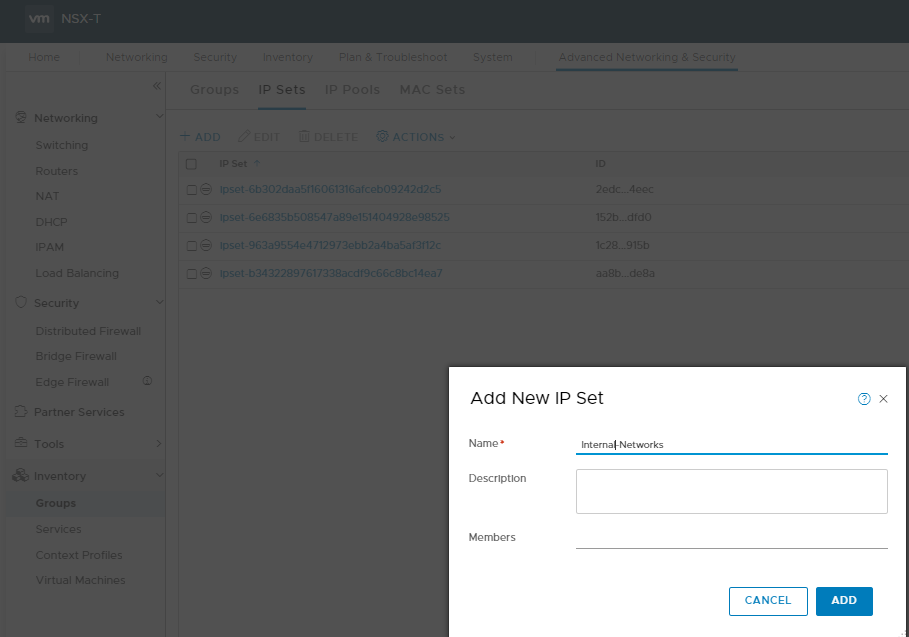
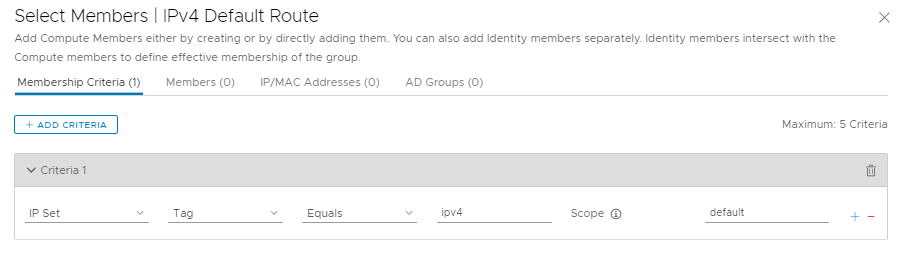
From here, you want to add the IP Sets to a group via tag membership - a topic I will cover later as it’s vitally important to get right with NSX-T:
We also want to do the same with our virtual machines:
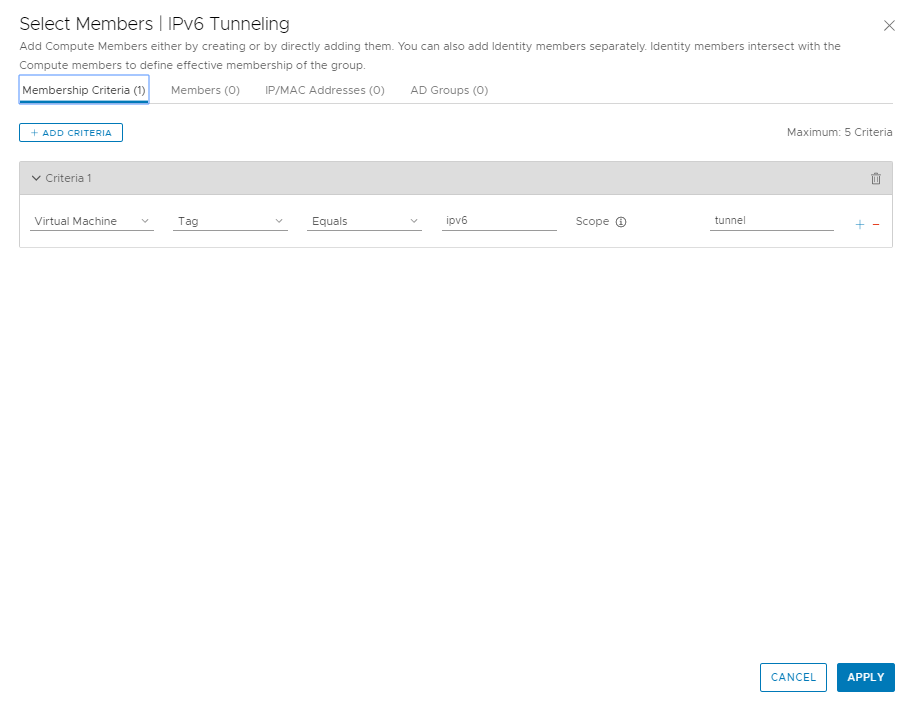
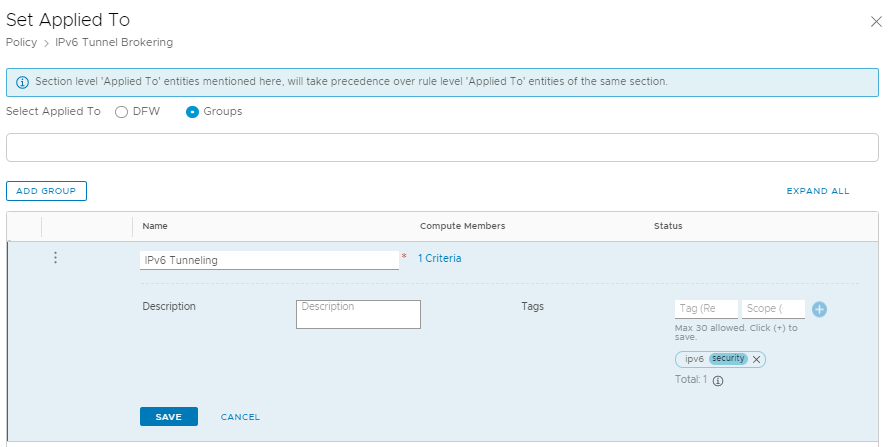
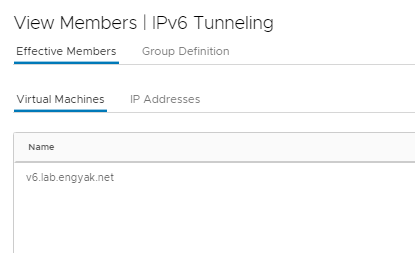
We’re all set to start applying policies to it! Navigate over to Security -> East-West Firewalling -> Distributed Firewall:
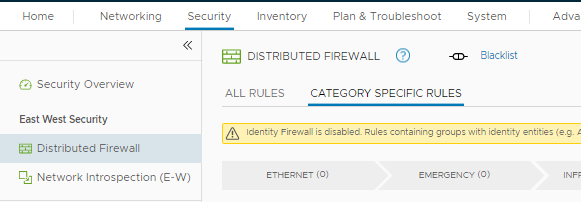
Add these policies. I have obfuscated my actual addresses under groups for privacy reasons.
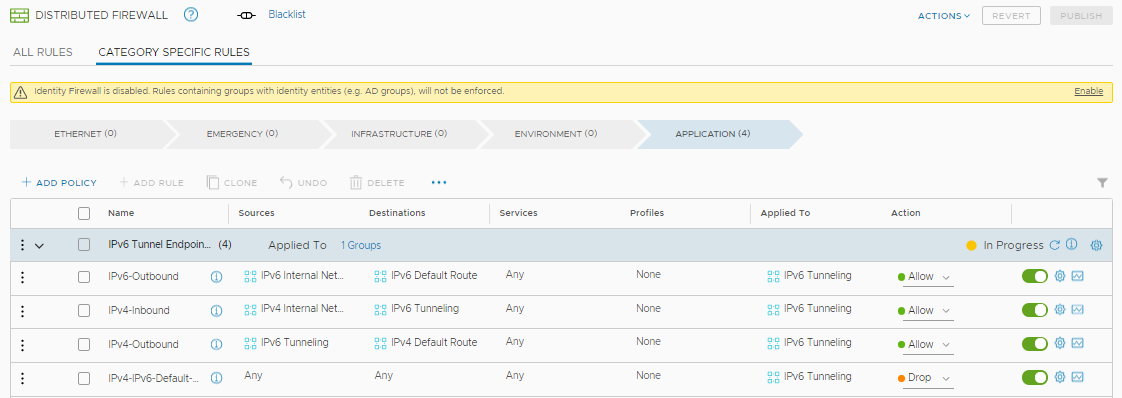
That’s about it! If you want to add more tunnel nodes, you’d simply apply the tag to any relevant VM with NSX Manager, and all policies are automatically inherited.
Some Recommendations
- If you haven’t deployed a micro-segmentation platform, the #1 thing to remember is that distributed firewalling, because it captures all lateral traffic, generates a TON of logs, all of which happens to be invaluable troubleshooting data. I’d recommend rolling out vRealize Log Insight + Network Insight (vRLI/vRNI) to help here, but ELK stack will probably work just fine in a pinch.
- Have a tag plan! Retroactive refactoring of tags is a pretty miserable task, so try and get it at least well organized the first time.
- Have a naming convention for all of the objects listed above! I’ll write a skeleton later on and place on this blog, along with tagging strategies.
- Make sure to set “Applied to” whenever possible, as this will prevent your changes from negatively affecting other data center tenants.
- Try to use North-South firewalling (tier-0 and tier-1 edges ONLY) for traffic that leaves the data center. East-West wasn’t really designed for that.
- Try to use North-South firewalling, period. If a data center tenant (or their workload) is not globally trusted, assign that entity its own tier-1, making it really easy to wall off from the rest of the network. This is probably the easiest thing to do in NSX-T, and generates the most value!