
Automate Netbox Inventory Ingestion with Diode
Data processing, particularly with large estates, can be a really painful process. There are a few ways to break down massive data imports:
- Build a giant spreadsheet, ship it to the GUI, and hope that things go well
- Bite-size the import work and write some code to supervise line-by-line import of data
Generally, flooding a web application with a giant pile of load all at once isn’t the greatest idea, particularly if there are failures. It’s not great for the application itself, as usually API requests are prioritized in a way that doesn’t put them before more urgent user queries.
Enter Diode
Diode is a software tool that can support ingestion jobs from multiple other data sources, and releases it to Netbox for storage after processing. Think of it like a staging area for equipment about to enter the warehouse.
The only difference here is that Diode ships with an SDK, allowing us to build hooks from all kinds of other data sources without having to re-write any client code to respectfully import data to Netbox.
For those trying to do this just once, the Ansible netbox.netbox collection excels at this task, but it’s considerably slower. Imports with hundreds to thousands of sites can take hours when configured to pace things and not impact other clients. Keep in mind that Netbox can drive Ansible playbooks, user documentation, NOC knowledge management - all of these things incur load.
Diode is packaged tidily as a Docker container.
Installing Diode
I used the quickstart.sh method, as it templates the `docker-compose.yml and persistent files accordingly:
bash quickstart.sh https://netbox.lab.engyak.net
Note: when running external shell scripts like this, look at them first. It’s good to ensure what code does before you run it on your machine, particularly when it’s this simple.
We also need to set it up in Netbox by installing a plugin. I disagree with the instructions here, as venv typically doesn’t persist across installations. I added the software requirements to local_requirements.txt to make sure that everything gets installed when Netbox gets patched (or Python gets upgraded):
echo "netboxlabs.diode.netbox.plugin" | tee -a /opt/netbox/local_requirements.txt
After that, we add the required configuration to Netbox:
PLUGINS = [
        "netbox_diode_plugin",
]

PLUGINS_CONFIG = {
        "netbox_diode_plugin": {
            "diode_target_override": "grpc://diode.lab.engyak.net:8080/diode",
            "diode_username": "notbox-to-diode",
            "netbox_to_diode_client_secret": "nicetry"
        },
}
Normally, I just run the upgrade script when I made changes. It’s possible to hop into the virtual environment and use manage.py, but I personally find upgrade.sh cleaner and easier. It also tests local_requirements.txt to ensure that the venv sets itself up properly:
cd /opt/netbox
bash upgrade.sh
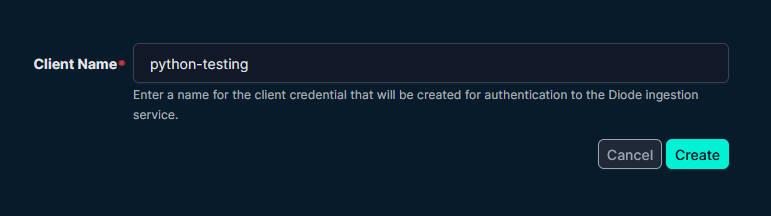
After this, we’ll get a new icon in the Netbox UI Labeled Diode. Let’s create a new client credential:
 ]
]