
IPv6 Up and Running - Dual-Stack connectivity with NSX-T
The next step is to get IPv6 up and running with NSX-T!
This should be pretty short - as with existing deployments of NSX-T, most of the difficult work is already completed. Here are a few preparatory steps to be performed before getting started:
- Ensure MP-BGP is on and that the data center fabric is running the ipv6-unicast address-family.
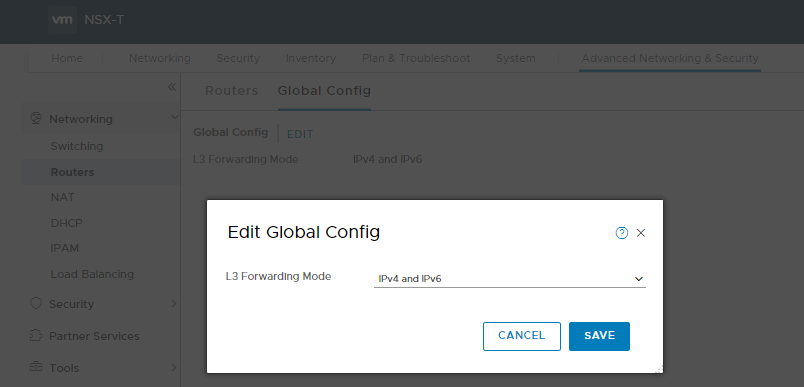
- Ensure the same on NSX-T manager by navigating to Advanced Networking & Security -> Networking -> Routers -> Global Config:
Now, let’s review feature support (up to date as of NSX-T 2.5), as it’s not really in the NSX-T documents. More detail can be found here
- Routing
- IPv6 Unicast AFI
- eBGP and iBGP
- ECMP
- BGP Route Aggregation, Redistribution, tuning
- Dataplane forwarding
- Route Advertisements
- Neighbor Discovery
- Duplicate Address detection
- DHCPv6 helper
- Security
- Full Layer 4 firewalling
- IP Discovery/Security, e.g. IP spoofing prevention, DHCPv6 spoofing prevention
We’re pretty much covered on the data plane portion, with one notable exception - IPv6 load balancing is not supported. Other things that are not supported include:
- IPv6 native underlay: VTEPs, Controller-to-host communication is IPv4 only. I’d expect this to be resolved relatively soon…
- NSX Manager cannot have an IPv6 address, nor can it cluster via IPv6
- vCenter and ESXi still does not fully support IPv6. Additionally, with the deprecation of the FLEX UI, the experimental feature that allowed you to try is no longer exposed via any GUI.
- Versions of vRA prior to 8.0 don’t appear to support IPv6 autoconfiguration, so it may be a while before you can automatically invoke these features.
Now that I’ve been a total buzzkill on feature support (VMWare historically hasn’t been great on this front), let’s get to configuring!
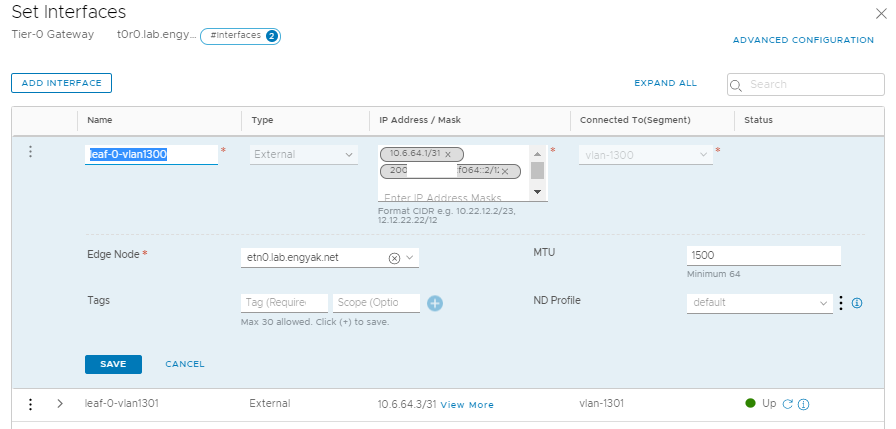
First, let’s configure an IPv6 address on our Tier-0 routers:
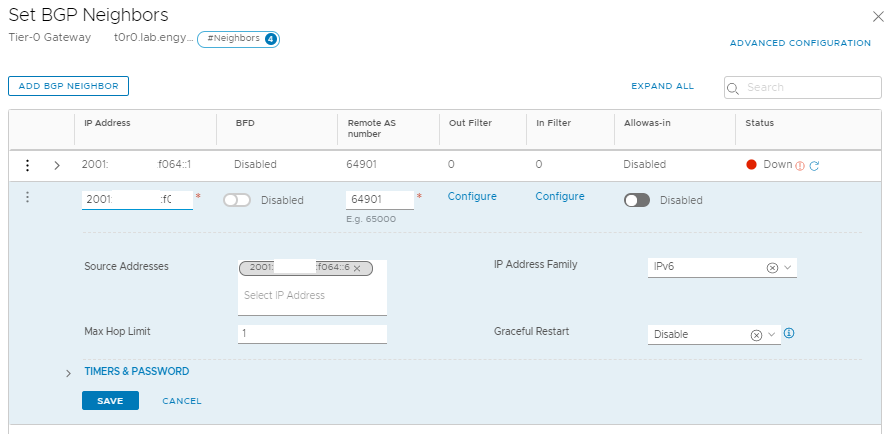
Add BGP Peers:
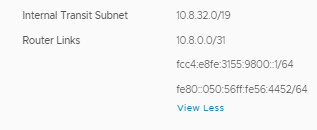
Note that you already have Tier-0 to Tier-1 automatically set up - click “View More” under router links, and you’ll see it’s using the prefix fcc4::, which is currently reserved by RFC4193 for Unique local connectivity. Props to VMWare for following spec!
There actually isn’t much else to do here - you’re done. You can add IPv6 subnets and profiles to segments really easily:
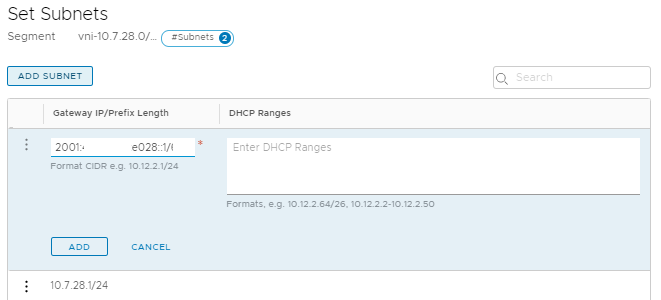
And that’s it! Interestingly enough, you can run IPv6 only on NSX-T vn-segments as well - just create a new external interface, attach it to the VyOS VM via a vn-segment, and peer BGP.