
Why Automate, Part 2: RESTFul APIs and why they aren't as hard as you think
Let’s be realistic about the API craze - it seems everything has one, and everybody is talking about API consumption in their environment as if they’ve invented fire.
Here are a few things to know about APIs that could have been communicated better:
- Writing code to consume an API is easy. Most of the time, a cURL command will do what you need. To top it off, most platforms have a Swagger UI, or even better, an API Sandbox to guide you through it.
- You have to write code to consume an API. Most of the time, you’re simply buying a product that does this for you. For example, with ArubaOS all management plane traffic uses PAPI to communicate, and you just interact with the controller. Even better, platforms like Ansible and Hashi’s Terraform make it as easy as defining what you want in a YAML file.
- APIs need to be secured. As a security practitioner, this one is pretty scary. Think of an API as your SSH connection, but with less baked-in security controls, because the industry hasn’t hardened m(any) of them yet. API proxies are really useful here because you can limit what permissions any given client can have.
- APIs are useful in ways that the CLI isn’t. There are features and advantages to performing work via any API - one of which is platform abstraction. You can easily write code to make changes to a Juniper switch as a Cisco guy, just by learning the automation constructs!
- If you’re sick of PuTTY/(insert SSH client here)’s bulk copy issues, the API is for you. Even if you don’t want to regularly use an API for most things, bulk changes are typically authenticated and validated and will tell you where any breakage is. Next time you install a few hundred static routes, import multi-line ACL, try it. How do you validate that those changes went in today? Have you ever had issues with just one missing line when doing those bulk imports?
Let’s try and consume an API with base code - just to see how easy it really is.
First, let’s try something easy, adding a few hundred static routes to an NX-OS device. The main reason why I’m using NX-OS here is that the platform includes an “API Sandbox” by default, which should be disabled in production environments:
no nxapi sandbox
That being said, we’re using a lab, and it’s stitched together via NSX-T. We can firewall, IDS, etc. the management and data plane of any simulated network asset, and connect them as arbitrary topologies to fit our needs really easily. These workloads (virtual routers & switches) should be ephemeral, so it should be OK for now. Later I’ll go into automatically securing and loading base configurations.
Let’s get started! Here’s the NX-API Sandbox:
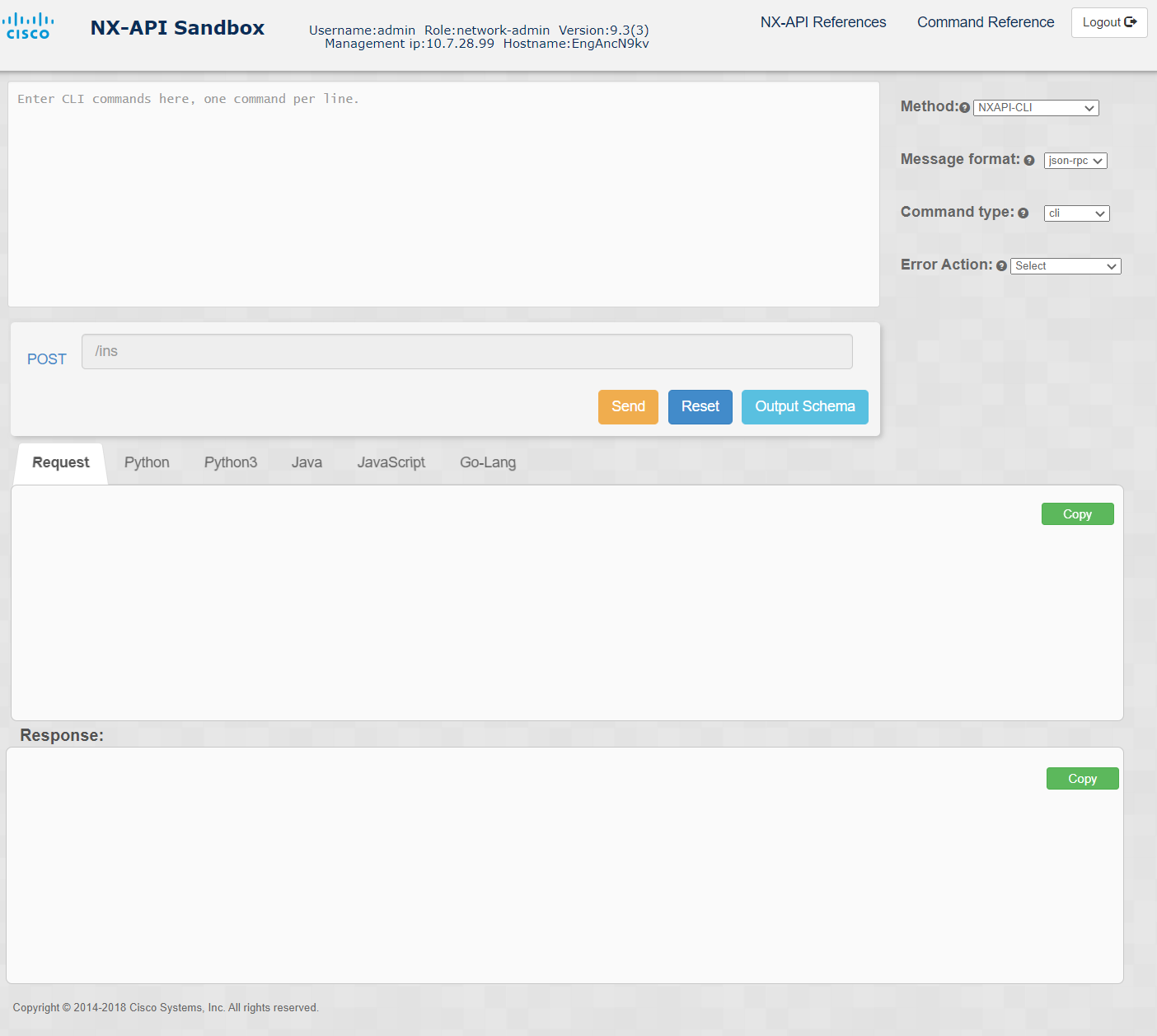
I generated an IP list of /32s starting from 1.1.1.1/32 up to 1.1.2.44/32 as null routes, with individual tags, and applied it accordingly. Then I set the format to JSON, mode to cli_conf, and set the error action to “rollback on error”. this would convert everything into a common language, and roll back a change if there are problems.
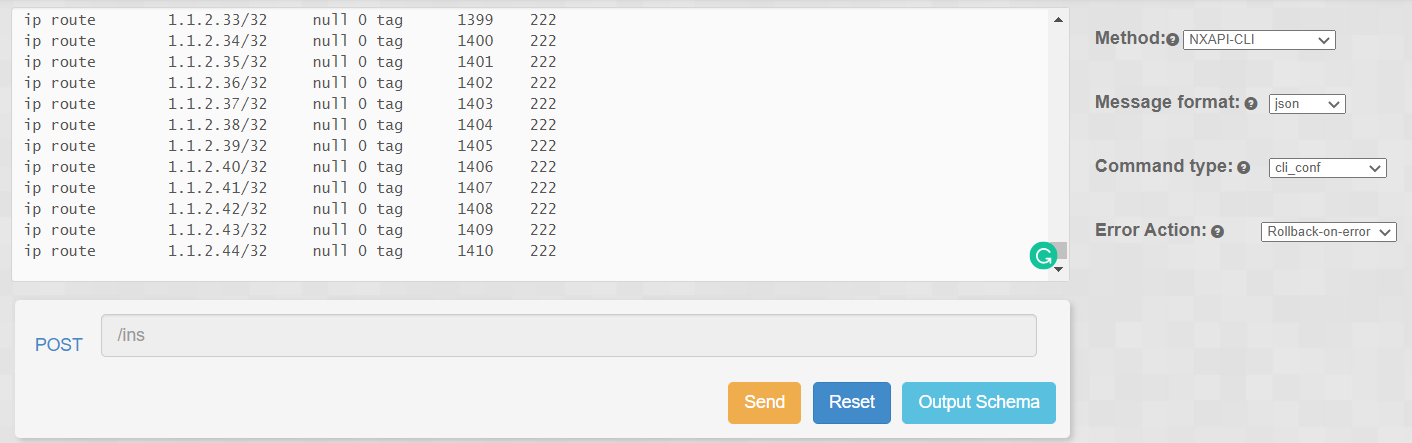
Generated code is here.
First, we check the routing table beforehand:
sho ip ro
IP Route Table for VRF "default"
'*' denotes best ucast next-hop
'**' denotes best mcast next-hop
'[x/y]' denotes [preference/metric]
'%<string>' in via output denotes VRF <string>
Then we run it:
python3 nxapi-add-bulk-routes.py
And then we verify.
show ip ro
IP Route Table for VRF "default"
'*' denotes best ucast next-hop
'**' denotes best mcast next-hop
'[x/y]' denotes [preference/metric]
'%<string>' in via output denotes VRF <string>

1.1.1.1/32, ubest/mbest: 1/0
*via Null0, [222/0], 00:00:15, static, tag 1111
1.1.1.2/32, ubest/mbest: 1/0
*via Null0, [222/0], 00:00:15, static, tag 1112
1.1.1.3/32, ubest/mbest: 1/0
*via Null0, [222/0], 00:00:15, static, tag 1113
1.1.1.4/32, ubest/mbest: 1/0
*via Null0, [222/0], 00:00:15, static, tag 1114
1.1.1.5/32, ubest/mbest: 1/0
*via Null0, [222/0], 00:00:15, static, tag 1115
1.1.1.6/32, ubest/mbest: 1/0
*via Null0, [222/0], 00:00:15, static, tag 1116
1.1.1.7/32, ubest/mbest: 1/0
*via Null0, [222/0], 00:00:14, static, tag 1117
1.1.1.8/32, ubest/mbest: 1/0
*via Null0, [222/0], 00:00:14, static, tag 1118
We can also roll back (script in GitHub):
python3 nxapi-rollback-bulk-routes.py
And verify:
show ip ro
IP Route Table for VRF "default"
'*' denotes best ucast next-hop
'**' denotes best mcast next-hop
'[x/y]' denotes [preference/metric]
'%<string>' in via output denotes VRF <string>
Just to be clear, this is a starting point. There is no error handling, no automatic validation, no secure storage of credentials. It’s fantastic that Cisco and other vendors provide this, but there are quite a few things that should be improved with just a tiny bit of coding time:
- User-friendly formatting of the payload. You’ll want to prettify the payload blob, so that it’s easier to peer review.
- try-catch statements: You want to, at a minimum, get a 200 OK or 400 Failure of some kind, and report it to the executor of your script. This is pretty easy to capture.
- Automatic change validation: In this example, capturing the routing table after the fact could also be generated automatically by the sandbox, and would make for the perfect validation step. Be creative!
- Test Test Test: These API calls go by pretty quickly, and you don’t have the typical MOP approach where constant validation is taking place. Get a lab, and thoroughly test your automation before using it on a live network.
My examples of automation implementations are here.
Cisco’s library of NX-OS examples are here.